API keys
Create and manage API keys for programmatic access to AEOify.
What API keys are for
API keys let you access AEOify programmatically. Use them to integrate AEOify into your tools, scripts, or workflows. They are also required for the MCP integration.
Creating an API key
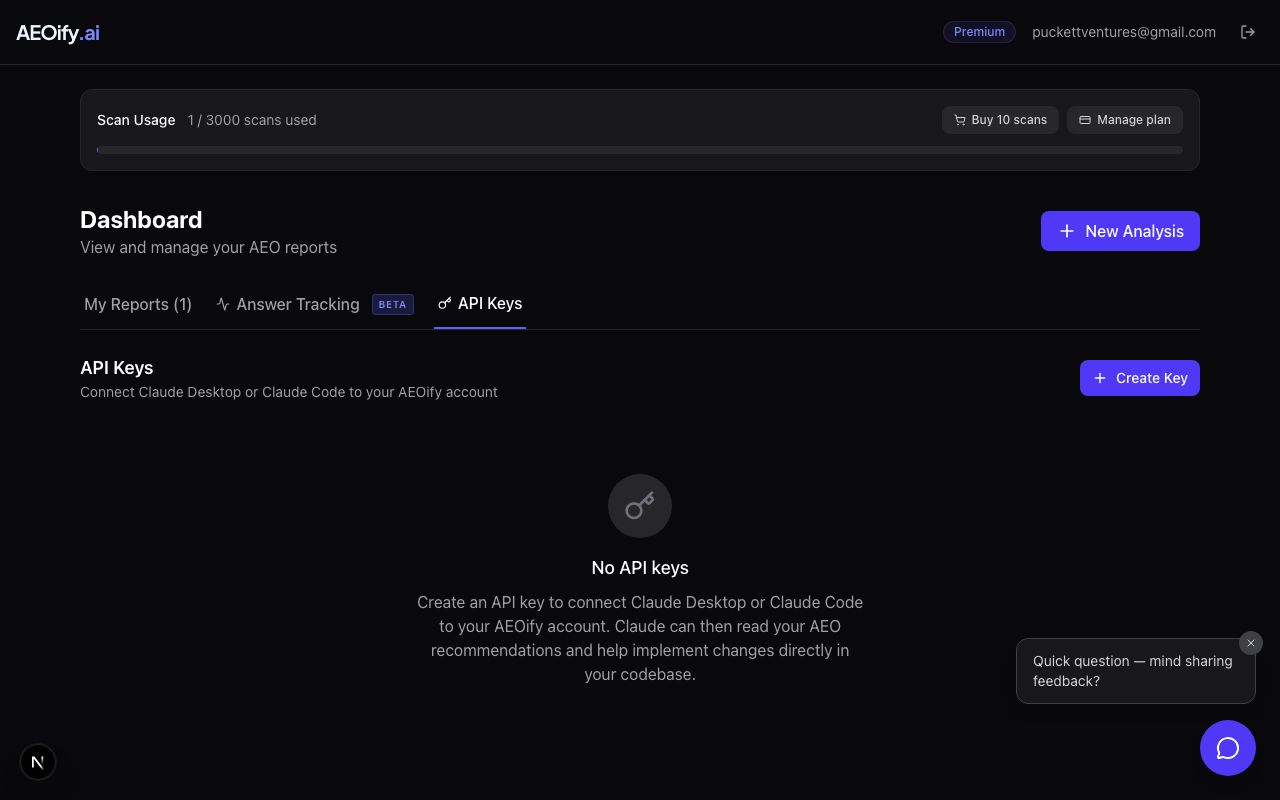
- Sign in to your dashboard.
- Go to the API Keys section.
- Click Generate New Key.
- Give your key a descriptive name (e.g., "CI pipeline" or "MCP server").
- Copy the key immediately. It is shown only once.
The key starts with aeo_ followed by a string of characters. Store it securely.
Managing keys
Your API Keys section shows all active keys with their names and creation dates. You can have multiple active keys for different use cases.
Revoking a key
Click the revoke button next to any key to disable it. Revoked keys stop working immediately. This cannot be undone, but you can create a new key at any time.
Security best practices
- Never share API keys in public repositories, chat messages, or emails.
- Use different keys for different integrations so you can revoke one without affecting others.
- Revoke keys you are no longer using.
- Store keys in environment variables or secret managers, not in source code.
Using your API key
Include the key as a Bearer token in the Authorization header of your API requests. See using the AEOify API for endpoint details.
- How many API keys can I have?
- There is no limit on the number of active API keys per account.
- What happens if my key is compromised?
- Revoke it immediately from your dashboard and create a new one. Revoked keys stop working right away.