Billing and subscriptions
Manage your AEOify subscription, view invoices, and change your plan.
How do I manage my subscription?
You can manage your subscription through the billing portal, accessible from your dashboard. The portal lets you update payment methods, view invoices, and change your plan.
Accessing the billing portal
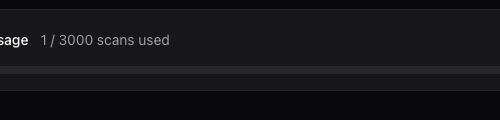
- Sign in to your dashboard.
- Click Manage Plan in the usage section.
- You will be redirected to the billing portal where you can manage all billing details.
Changing your plan
Upgrade or downgrade at any time through the billing portal. Changes take effect at the start of your next billing cycle. See plans and pricing for a comparison of available plans.
Viewing invoices
All invoices are available in the billing portal. You can download PDF invoices for your records or expense reporting.
Canceling your subscription
Cancel through the billing portal. You retain access to your current plan features until the end of your billing period. Past reports remain accessible after cancellation.
Payment methods
AEOify accepts credit and debit cards. You can update your payment method at any time in the billing portal.
Billing cycle and scan resets
Your monthly scan allocation resets at the start of each billing cycle. Unused scans do not roll over to the next cycle. Purchased scan credits, however, do not expire. See scan credits for details.
- What happens to my reports if I cancel?
- Your existing reports remain accessible. You lose the ability to create new analyses once your current billing period ends.
- Can I get a refund?
- Contact support within 7 days of a charge to discuss refund options.