Using the chat assistant
Get instant help, look up reports, and create scans using the AI chat assistant.
The AEOify chat assistant is a floating widget available on every page. It can answer AEO questions, look up your reports, create new scans, and help you navigate the platform.
How do I open the chat assistant?

Click the chat bubble in the bottom-right corner of any page. The assistant opens in a panel overlay. Click the bubble again or press the X button to close it.
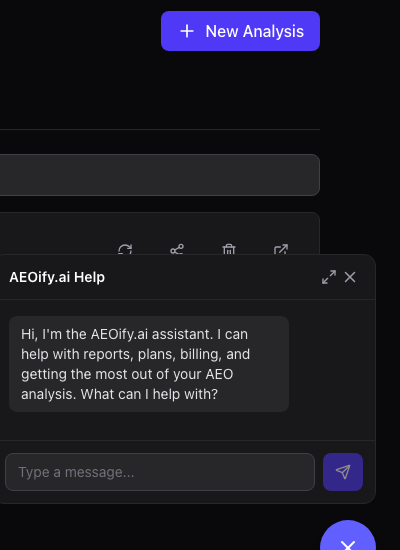
What can the chat assistant do?
The assistant has access to tools that let it interact with your account:
- Answer AEO questions: Ask about best practices, structured data, or how to improve your score.
- Look up reports: Ask about a specific report by URL or browse your recent analyses.
- Get recommendations: Request recommendations from any of your completed reports.
- Create new scans: Ask the assistant to scan a URL and it will confirm before starting.
- Check usage: See how many scans you have remaining in your current billing cycle.
- Open support tickets: Escalate an issue to the AEOify team — the assistant can create a ticket, and you can list, view, and reply to it right in the chat.
- Browse help articles: The assistant has access to all help center content.
What are the conversation limits?
Anonymous visitors can exchange up to 10 messages per conversation. Signed-in users get up to 50 messages. All users are limited to 30 requests per hour. When you reach the message limit, you can reset the conversation to start fresh.
How does conversation history work?
Conversations are stored in your browser's local storage. They persist for up to one hour of inactivity. When a conversation is reset, the assistant summarizes the previous context so you do not lose important information.
What happens when the assistant cannot help?
If your question needs human support, the assistant can open a support ticket for you — and you can list, view, and reply to your tickets right in the chat. You can also use the contact form to reach the support team directly.
- Does the chat assistant have access to my reports?
- Yes, if you are signed in. The assistant can look up your reports, show recommendations, and check your usage. Anonymous visitors can only ask general AEO questions.
- Is the chat assistant available without an account?
- Yes. Anyone can use the chat assistant for general AEO questions. Account-specific features like report lookups and scan creation require signing in.
- Can the chat assistant create a scan for me?
- Yes. Ask it to scan a URL and it will confirm the details before starting the analysis. The scan uses credits from your plan allocation just like a dashboard scan.